Before creating a pull request from a fork, fork the upstream repository and push your changes to a branch in your fork. See 为存储库创建分支.
In a pull request from a fork, the base branch is where you want to merge your changes, and the compare branch is the branch in your fork that contains your changes. See 创建拉取请求.
注意
要在公共存储库中打开拉取请求,你必须具有对头分支或源分支写入权限;对于组织拥有的仓库,你必须是拥有该存储库的组织的成员才能打开拉取请求。
-
Navigate to the original repository where you created your fork.
-
在文件列表上方的黄色横幅中,单击“比较和拉取请求”****,为关联的分支创建拉取请求。

-
On the page to create a new pull request, click compare across forks.

-
In the "base branch" dropdown menu, select the branch of the upstream repository where you want to merge changes.
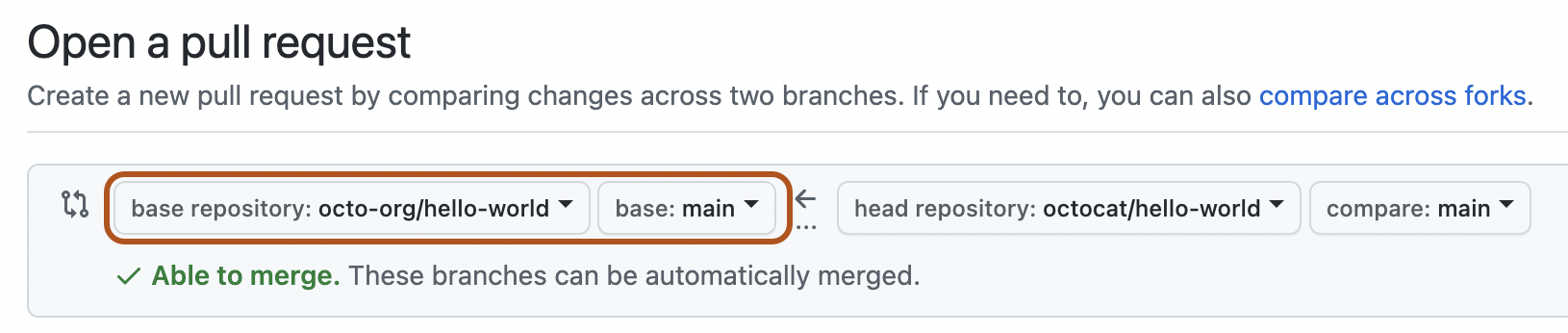
-
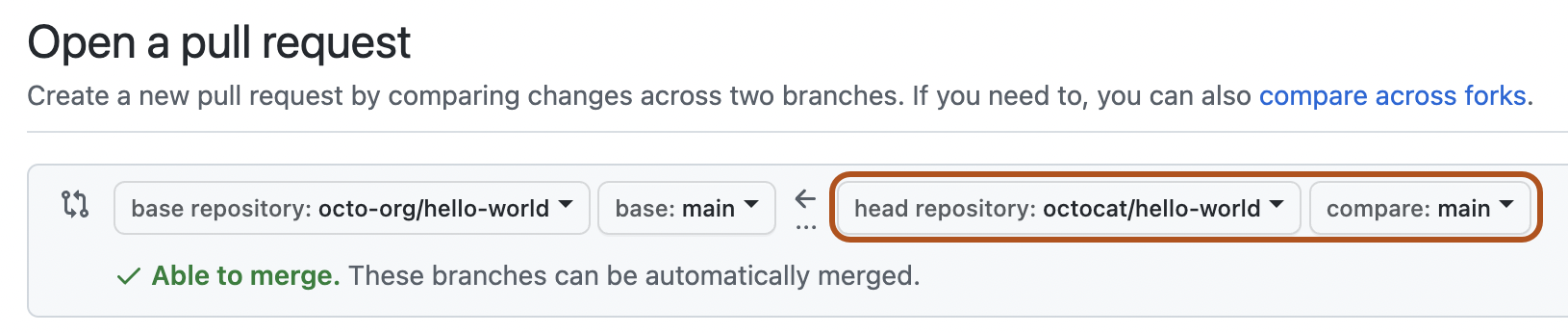
In the "head fork" dropdown menu, select your fork. Then, use the "compare branch" dropdown menu to select the branch where you made your changes.
-
为您的拉取请求输标题和说明。
-
在用户拥有的分支中,如果你希望允许对上游存储库具有推送访问权限的任何人更改你的拉取请求,请选择“允许维护员编辑”。
警告
如果你的分支包含 GitHub Actions 工作流,则选项是“Allow edits and access to secrets by maintainers”****。 允许对包含 GitHub Actions 工作流程的复刻分支进行编辑,也会允许维护员编辑复刻的仓库的工作流程,从而可能暴露密码值并允许访问其他分支。
-
要创建可供审查的拉取请求,请单击“创建拉取请求”。 若要创建草稿拉取请求,请使用下拉列表并选择“创建草稿拉取请求”,然后单击“草稿拉取请求” 。 如果你是组织的成员,则可能需要从组织所有者请求对草稿拉取请求的访问权限。 请参阅“拉取请求”。


